by
by 
 Need better ways to analyze your social activities? Looking for tools to prove your marketing efforts are working?
In this article, you'll find three tools to analyze and report on your social media marketing efforts.

#1: Assess Audience Activity and Social Media Engagement
Sprout Social is a social media management tool. Analytics is only a part of what it does; other features include scheduling and tracking your team's performance. This article focuses on how you can use Sprout Social to find out more about your customers.
It analyzes Facebook, Twitter, Instagram, LinkedIn, and Pinterest activity, measuring engagement and ad performance and comparing your progress with your competitors'.
Price: Standard plan is $99 per user/month, Professional plan is $149 per user/month, and Advanced plan is $249 per user/month. All plans include a free 30-day trial.
Assess Engagement With Sprout Social
After you've created a Sprout Social account, you're taken to the dashboard, where you see what else you can do with the tool.
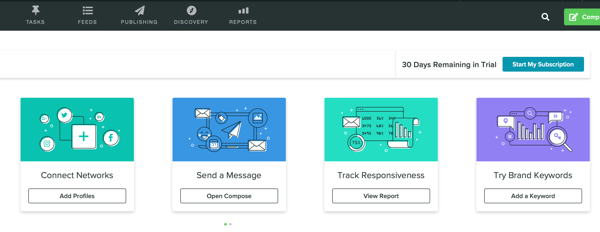
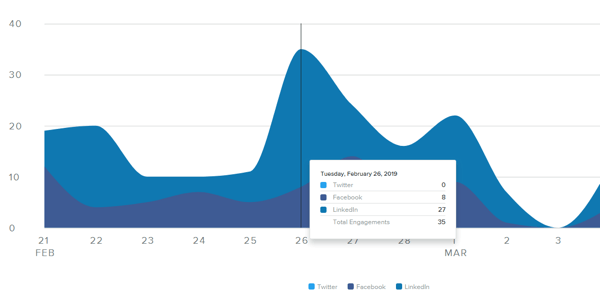
Scroll down on the page, and you'll see that the tool has already calculated the engagement around posts for the social networks you've attached.
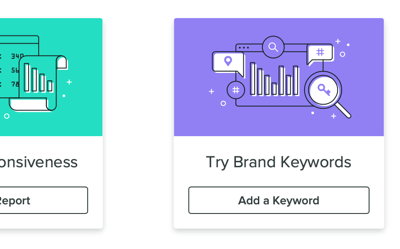
Next, go to the top of the page and click Try Brand Keywords. You then see a feed of mentions that have tagged your brand, as well as direct/private messages, retweets, retweets with comments, new followers, and wall posts.
To receive more mentions that you're interested in, add Twitter keyword/Instagram hashtags, specify a location, and add negative keywords.
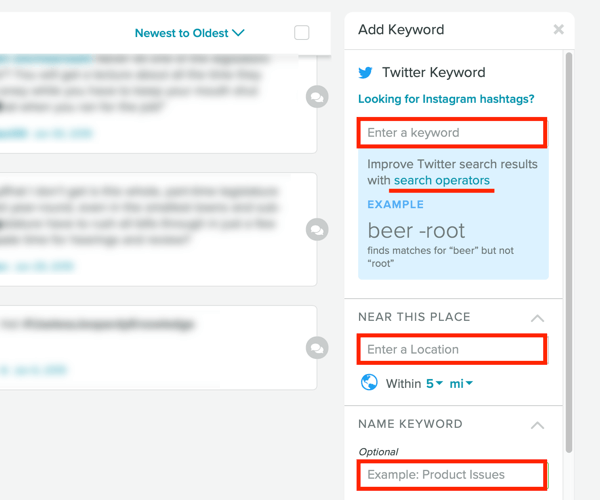
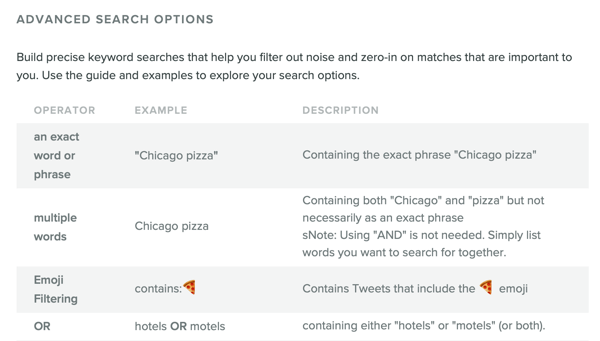
Pro Tip: Click the Search Operators link to reveal search operators you can use to narrow your search. Adding search operators helps you find exact keywords or multiple words, filter emojis, select preferred languages, focus on specific users, search for links, and more.
The feed with mentions of your keywords will be added to your dashboard.
Analyze Your Audience With Sprout Social
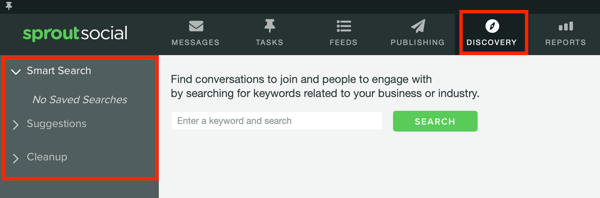
To find out more about the state of your social media accounts, click Discovery at top of the page. On this tab, you'll see three options on the left:
- Smart Search is the same keyword monitoring feature described above.
- Suggestions shows your followers, people you've conversed with, and people who have mentioned your brand.
- Cleanup reveals silent accounts, accounts with irregular usage, and people who don't follow you back.
You can go through each of your social media profiles right from the app and take further action.
Generate Sprout Social Reports
You'll find the rest of your social media analytics in the reports. Click Reports at the top of the screen to see your report options. Click to select a report or choose a report option in the left panel. Any options that are grayed out are not available for your plan level.
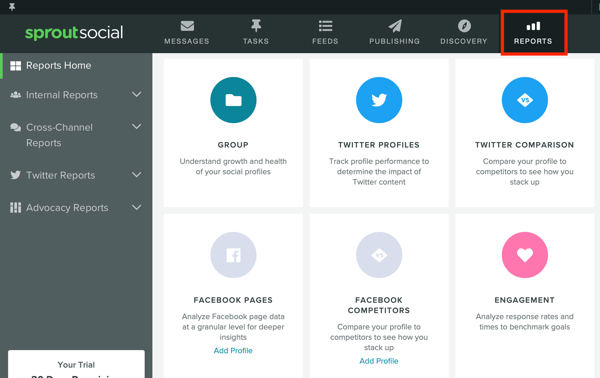
If you choose the Group report, you can view impressions, engagements, and link clicks for the chosen time range; volume of messages sent and received; and audience group metrics (how many followers you gained for each network in percentages).
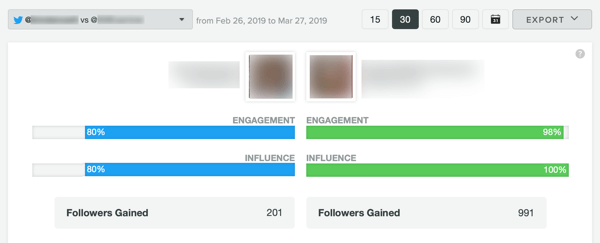
The Twitter Comparison report shows how your brand and a competitor compare on the platform. You'll see engagement and influencer metrics, followers gained for a specified time range, and number of mentions over time.
Click on the Trend report to view topics frequently mentioned alongside your brand and hashtags associated with it.
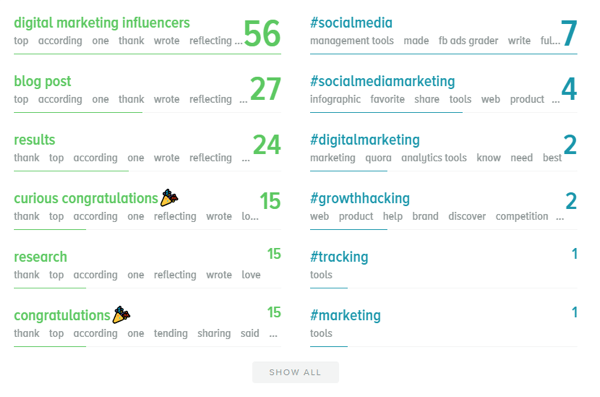
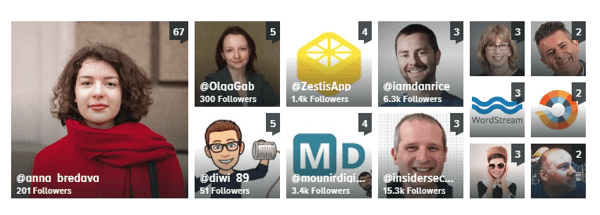
You'll also see a list of people on Twitter who have mentioned your brand.
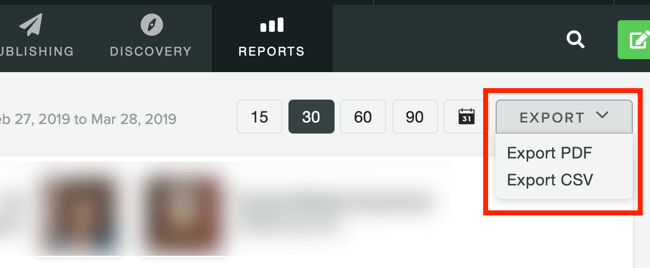
You can export any Sprout Social report to PDF and CSV format.
#2: Benchmark Social Media Channel Performance Against Competitors
Sotrender is a social media analytics tool that focuses on Twitter, Facebook, Instagram, and YouTube. It gives you a detailed overview of how your profiles are performing and compares your progress to your competitors'. The tool also provides tips based on the analysis it performs.
Price: Bronze (2 brands) is $50/month, Silver (5 brands) is $110/month, Gold (10 brands) is $200/month, and Platinium (20 brands) is $390/month. A free 14-day trial is available.
Analyze Your Social Media Data With Sotrender
After you set up a Sotrender account, connect your social media accounts.

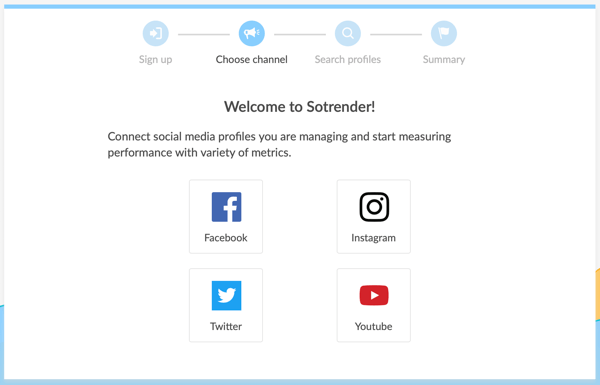
It will take some time for Sotrender to collect your data, so for the best results, give it 24 hours. Once your data has been imported, choose the social profile you want to analyze from the left panel.
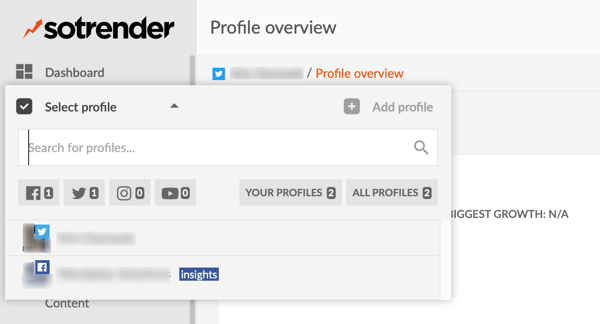
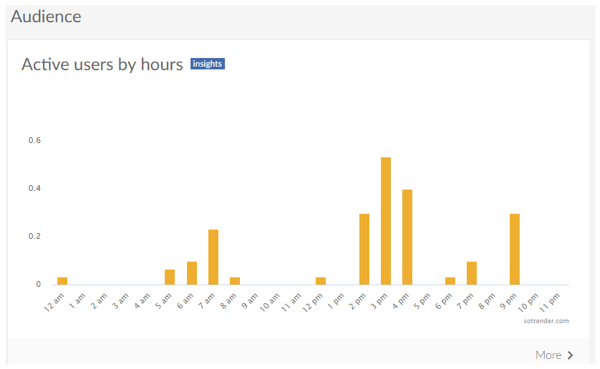
As part of the profile overview, you'll see active users by hours and dates, community ranking, reach metrics, number of fans, user activities, and interactivity index. Note that you have to sign the GDPR contract to see the community ranking.
The chart below indicates the hours when users are most active.
The User Activities section breaks down reactions and shares.
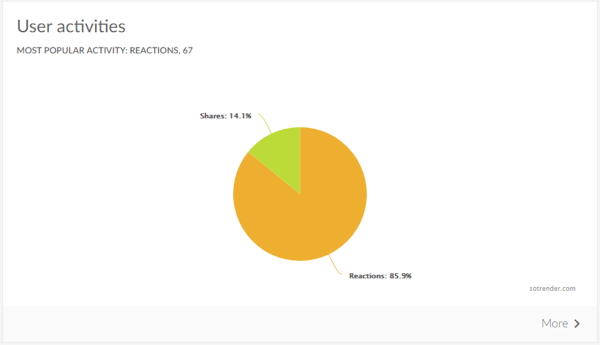
Tip: To see more detailed stats for any of the graphs, click the More link in the lower-right corner.
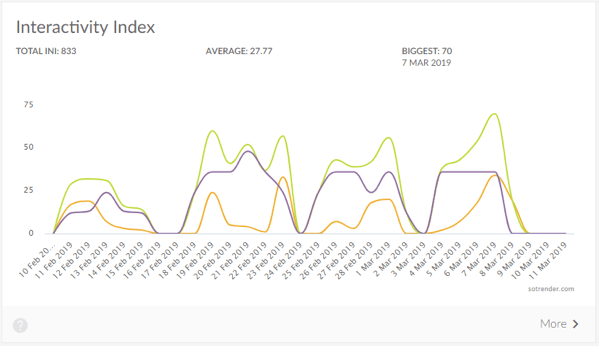
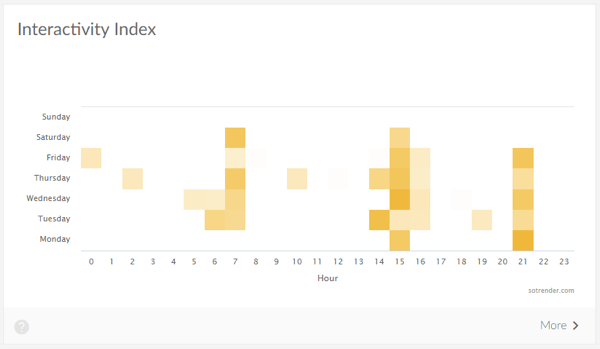
The different colors in the Interactivity Index chart below represent the data for different networks.
Click on Tips in the left panel to see a list of tips based on your data analysis.
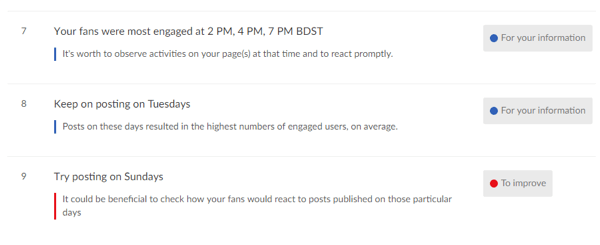
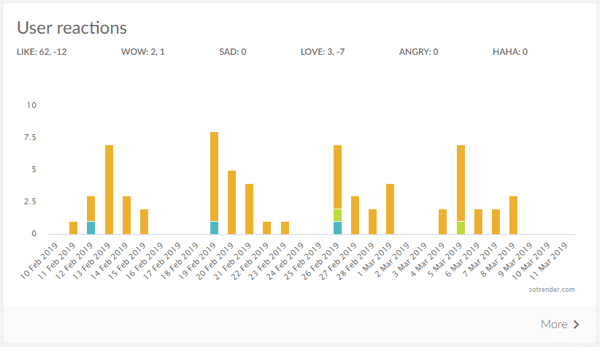
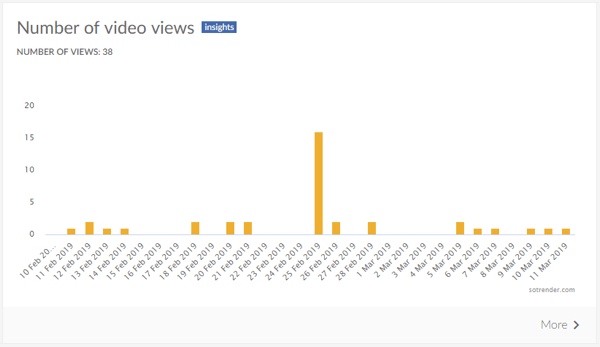
On the Audience tab, you'll see demographics, locations, sources, and other interesting metrics such as the distribution of different reactions (if you chose Facebook).
The User Reactions chart displays when and how reactions happened over time.
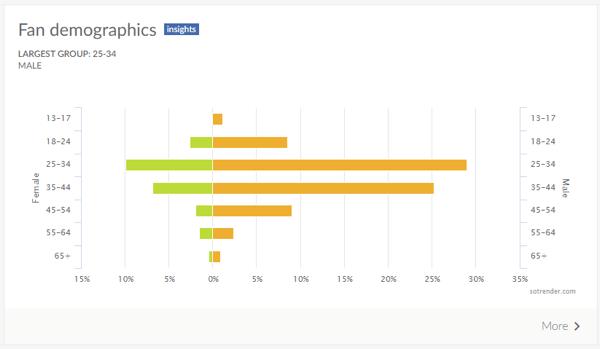
In the Fan Demographics module, you see a demographic breakdown of your followers by gender and age.
Sotrender also shows how your brand (i.e., your social media team) is doing. You can see the response rate, response time, and a metric called interactivity index. The interactivity index heatmap combines data from several sources and shows when the level of engagement is strongest.
The Reach and Engagement tab predictably shows reach and engagement in more detail, and the Content tab shows metrics for each type of content (photo, link, and video).
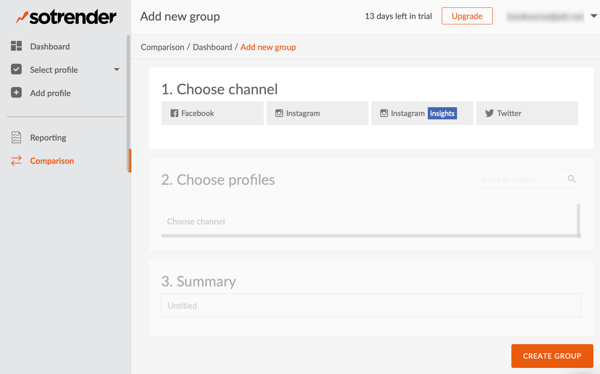
To get these results for one of your competitors, click on Comparison in the left panel and add your competitor's social media profiles.
Generate a Sotrender Report
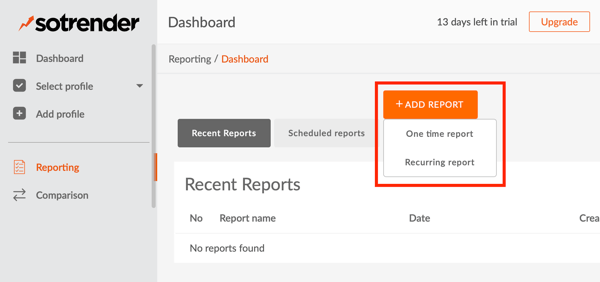
To create a report in Sotrender, click Reporting in the left panel. Then click the Add Report button and choose One Time or Recurring Report from the drop-down menu.
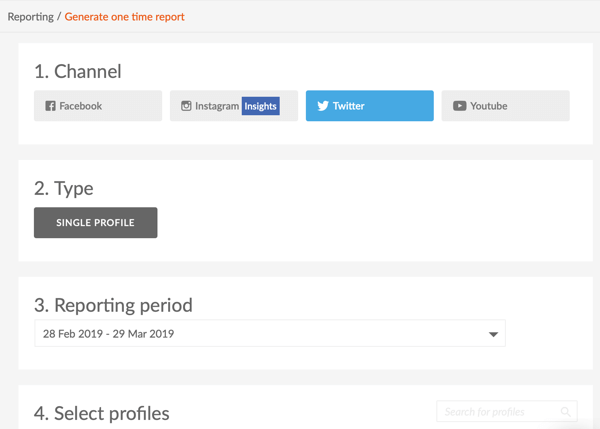
Next, choose the social network you want the report to cover, select a date range, and indicate whether it's for a single profile or multiple profiles. Also specify which analytics should appear in your report.
Sotrender lets you include or exclude tips, an explanation of metrics, the Sotrender logo, your logo, and the author's info. Reports may be downloaded to both PDF and CSV formats.
#3: Evaluate Keyword Mentions and Sentiment
Editorial Note: The tool mentioned in this section was included due to editorial oversight. It has been redacted as its inclusion constitutes a conflict of interest.
Conclusion
Social media marketing is a bit like Schrödinger's cat. It's simultaneously working and not working until you've measured it. Translating marketing efforts into numbers, however, is not as easy as opening the box. It requires tools that perform deep-level analytics. Only with the right tools can you compare metrics and get an idea of whether your marketing efforts are paying off.
Luckily, numerous analytics tools will help you do that, including the three tools mentioned in this article. To gain a better understanding of what type of tool you need, you might want to try out a few of them.
Remember that there's no such thing as the ultimate tool. Each analytics tool will provide a different kind of data, cover different social networks, and conduct different kinds of analyses. Decide on your social media marketing goals, experiment with several analytics tools, and only then will you be able to find the best fit for your needs.

What do you think? Do you use any of these social media analytics tools? Which analytics tools would you add to this list? Please share your thoughts in the comments below.