by
by 
 What content are you sharing on Twitter?
Do you struggle to find interesting, relevant things to tweet about every day?
In this post, I’ll show you how to curate content your followers will love so you can build a loyal community on Twitter.
Why Curate?
Today most marketers understand the need to create informative and relevant content. But it’s equally important to curate informative and relevant content.
In addition to creating great content for your site, the links to the other people’s content that you share on Twitter also matter.
When you share good content on Twitter, the kind your audience loves, it’s easier to build a strong community. And sharing great content will also increase your credibility in your industry.

#1: Know Your Audience
So what content should you share on Twitter? Before you can determine what is the best content to share in your social updates, you need to dig deep and go inside your followers’ heads.
You’ll want to know your social media audience. What keeps your ideal follower up at night? What are his favorite blogs? What’s the first thing that pops into his head when he thinks of you?
If you’ve ever created a buyer persona for a marketing campaign, this is the same exercise.
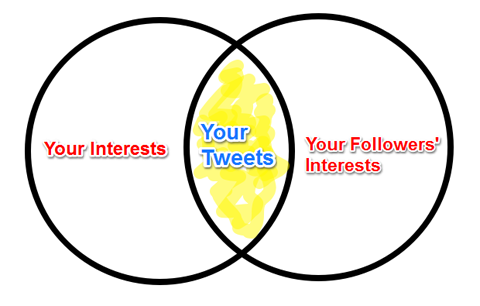
You can also ask your followers to find out what they want. You may find general open-ended questions—such as “What would you like me to tweet about?”—too broad to give you the information you need.
Instead, ask your followers a multiple-choice question such as, “Would you like me to tweet about a) social media marketing, b) mobile, c) productivity hacks, d) all of the above?”
You can use their answers as a starting point to plan the content you share and identify what your followers want from you.
Once you identify the content your audience is interested in, commit to this topic. Don’t dilute it.
For example, Social Media Examiner focuses on social media. So you’ll find articles about generating email leads using social media. But you won’t find content devoted to increasing email open rates or the perfect auto-responder series or other topics with no connection to social media.
Find out what topics interest your audience most and share content related to these topics on your social profiles.
#2: Tools to Help You Curate Content
Once you know your audience well, you’ll want to set up a good aggregation tool to find content worth tweeting about.
Here some of the popular news aggregators in the market today. Use the ones you like for your business to find the content you need to provide a valuable stream of daily tweets for your followers.
Feedly – Your News Delivered
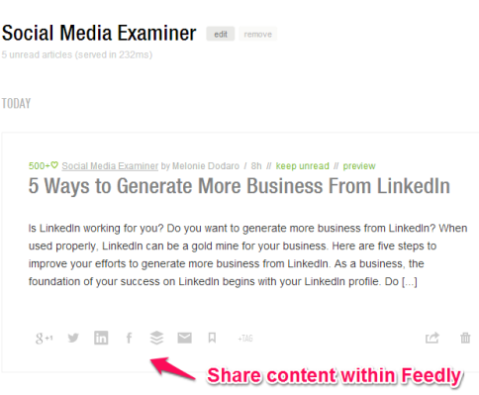
Feedly is a tool to help you curate content. Feedly makes it easy for you to look for the articles most relevant for you to share.
One of the best aspects of Feedly is the variety of viewing interfaces available. You can format it to show articles in an email-type layout with headlines or arrange them as image cards or also choose a more traditional magazine layout.

Regardless of the layout you choose, Feedly shows you new content from the blogs and news sources you subscribe to. And it offers a consistent presentation across devices, so you can tweet from your laptop, your tablet or your smartphone.
One of my favorite features is Feedly’s integration with multiple online tools such as Google+, Evernote, Buffer, Instapaper and more. This makes your content curation easier.
Fever – Find Out What’s Hot
Do you want to know how hot the story is that you shared? Fever is a content feed reader that ranks the stories in your feed with a temperature gauge. This allows you to measure how many links and shares a story has within your network.
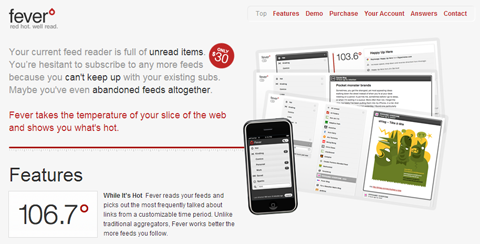
This is a visual way to see how the content you share on Twitter resonates with your audience. It’s an easy way to be sure the content you share matters to your followers.

It is important to note that Fever comes with a one-time price of $30 and you need to host the files on your own server.
The setup is a bit technical, so you may want to ask your IT department to help you get started.
Prismatic – Discover New Content to Share
While RSS readers are great for keeping up with your favorite blogs, Prismatic helps you find new and interesting blogs.

If you like to keep your content curation fresh and interesting, Prismatic does a great job of introducing new blogs and content sources you may never have come across otherwise .
Here’s how to get the most out of Prismatic.
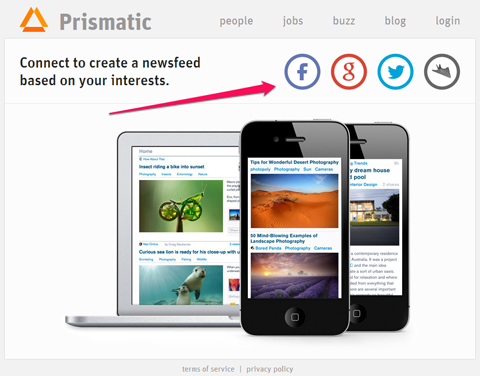
Step 1: Sign up
Sign up for Prismatic using your Facebook, Google+ or Twitter login, or create a stand-alone account on Prismatic.
Step 2: Choose Your Interests
After you sign up, you can pick the different topics that you and your audience relate to. As you use the service, Prismatic will suggest new topics based on what you share and click.
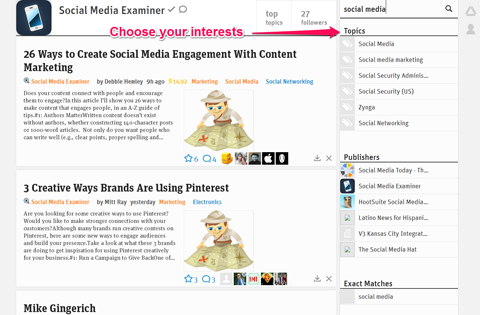
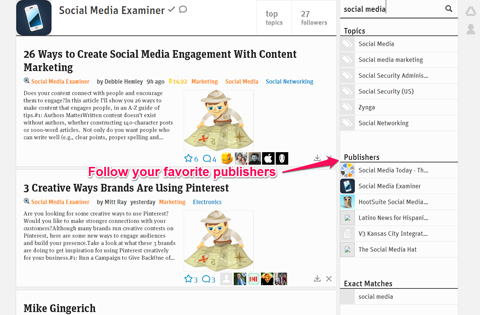
Step 3: Pick Your Favorite Publishers
You can also use Prismatic as an RSS reader. Under the Favorite Authors section, add your favorite blogs and publishers to Prismatic.
Step 4: Share Your Curated Content
After you’re all set up, share the articles your audience is interested in reading.
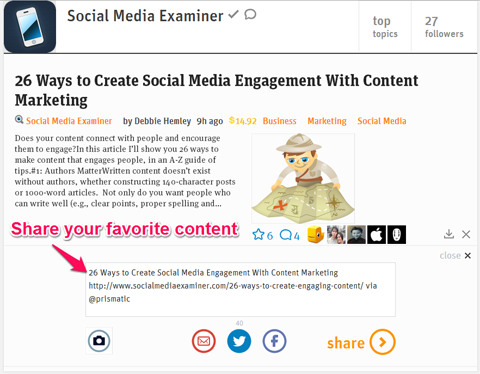
When you share content, remember to include the author’s Twitter handle, so you can introduce your followers to new and interesting people.
And be sure to include relevant hashtags, but don’t overdo it. Buddy Media reports that tweets with one or two hashtags receive higher engagement than those with three or more hashtags.
Prismatic has good sharing features and can help you share great content with your audience.
#3: Analyze and Repeat
One of the most important steps to curating amazing content is to measure the results.
Are there certain articles that get more clicks, retweets and favorites than others? Is a certain topic or interest driving more engagement with your followers?
You can use Buffer to analyze shares, but management tools like HootSuite, SproutSocial and TweetDeck can all provide good analytics on your tweets.
These tools help you analyze metrics such as the number of clicks, retweets, favorites and potential reach each individual tweet receives.

Use this data to see what really resonates with your audience and A/B test different headlines for your content. Here’s an example of results from two different tweets promoting the same content.


The example above shows how a simple product mention can help spread your content to a greater audience.
Be sure to measure the response to different headlines to see which one interests your audience most and learn from your results.
Share the Content Your Audience Loves
With the wealth of information that exists on the web, marketers have a harder time finding great content to share.
Use these tools and tips and you’ll not only discover content that you enjoy consuming, you’ll also find content that drives greater engagement with your Twitter following.

What do you think? Did I miss any great tools? What are your favorite tips to curate content? Share your thoughts in the comments below.